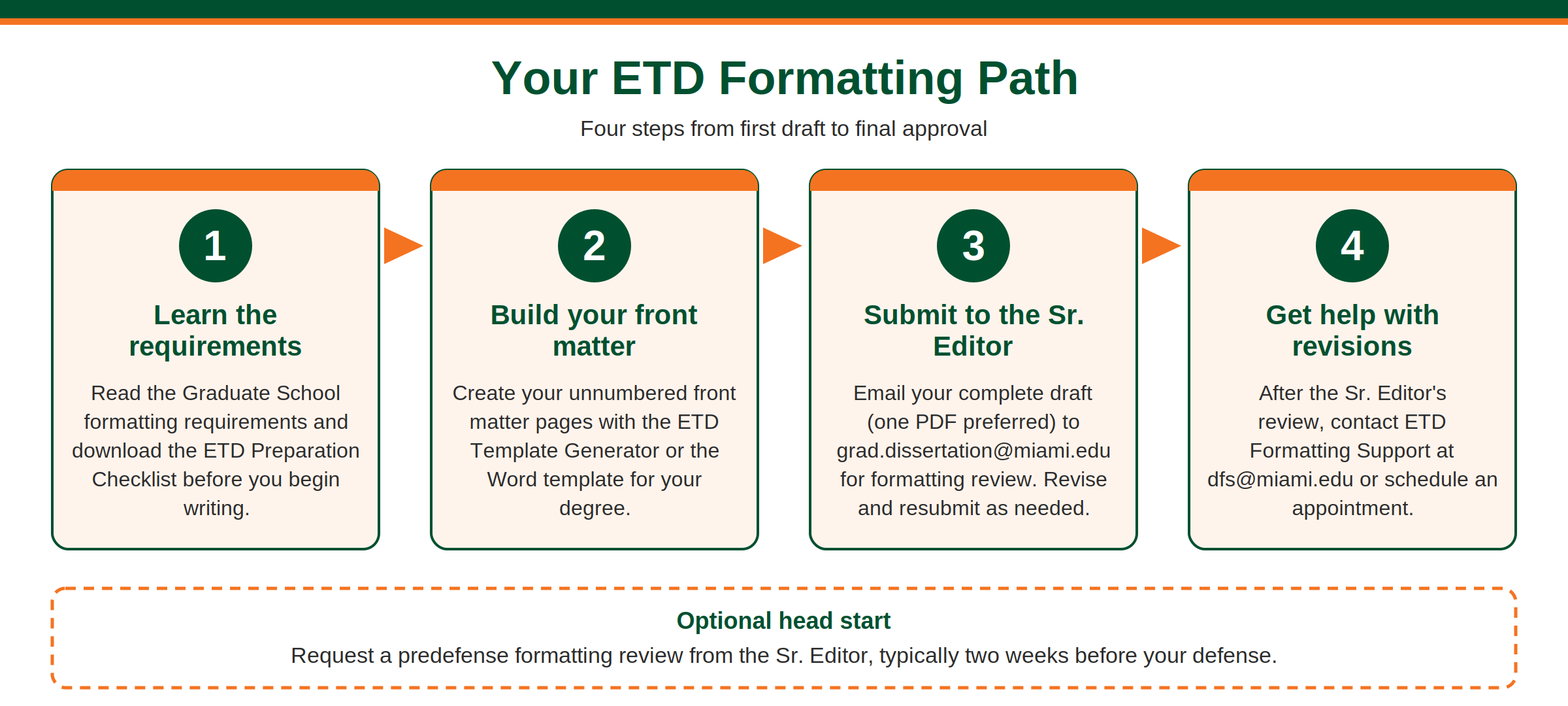
A consistent, carefully formatted ETD helps your scholarship make the strongest impression on readers. When formatting is precise from the first page to the last, readers can focus on your research instead of on inconsistencies in presentation.
This page walks you through the Graduate School’s formatting process: the requirements, the templates, the review steps, and where to get help.
Answer a few questions about your degree and program, and the generator will build your front matter pages, formatted to Graduate School requirements. This tool is new, and we want to hear how it works for you. Click on "Share your feedback" to send us an e-mail with any issues or suggestions.New: Try the ETD Template Generator (Beta)

Your ETD should be organized in the following order: Use the ETD Preparation Checklist for the complete details of each section. To build your unnumbered front matter, see the front matter templates below or use the ETD Template Generator.
Title, Copyright, Signature, and Abstract pages
Dedication (optional), Acknowledgements (optional), Table of Contents, and Lists of Figures, Tables, and Abbreviations, as applicable
Chapters
References and Appendices
Select a style guide (APA, Chicago, MLA, Turabian, or another) in consultation with your chair and committee, and apply its rules throughout your ETD. Some Graduate School requirements differ from the major style guides and take priority over them. These are collected in the document below. Please review this document before you begin writing, and keep a copy as a reference while you work.
The ETD Preparation Checklist helps you keep track of the basic formatting requirements as you prepare your final document.
For one-on-one help, schedule an appointment with the ETD Formatting Support team. Schedule a formatting appointment For all other questions, email dfs@miami.edu. The ETD Formatting Support Team recorded an "ETD Formatting Made Easy" workshop that covers solutions to the formatting problems students run into most often.Get help
Formatting support
Workshop video
Jump to a topic in the video
Time stamp
Topic
5:04
Starting each chapter on a new page
5:34
Updating headings
7:47
Headings and styles
9:40
Using the Navigation Pane
10:44
Section and page breaks
13:41
Table of contents
15:49
List of figures and list of tables
17:45
Managing page number styles
Copyright: 2026 University of Miami. All Rights Reserved.
Emergency Information
Privacy Statement & Legal Notices
Individuals with disabilities who experience any technology-based barriers accessing University websites can submit details to our online form.